Imagine writing a great blog post—one filled with your time and creativity—but no one sees it. Not even the people you wrote it for.
This is the reality for many beginners creating online content.
The issue isn’t your writing; it’s visibility. That’s where SEO tools come in.
SEO tools help your content appear in search engines like Google—and even AI assistants like ChatGPT. they guide you to improve your headlines, choose better keywords, structure your content, and fix technical issues that might stop your blog or website from being found
These tools don’t just help you rank higher—they help you reach the right audience: people who are actively searching for what you’re offering.
In this guide, I’ll show you the 7 best SEO tools for beginners—the same ones that helped me when I was starting.
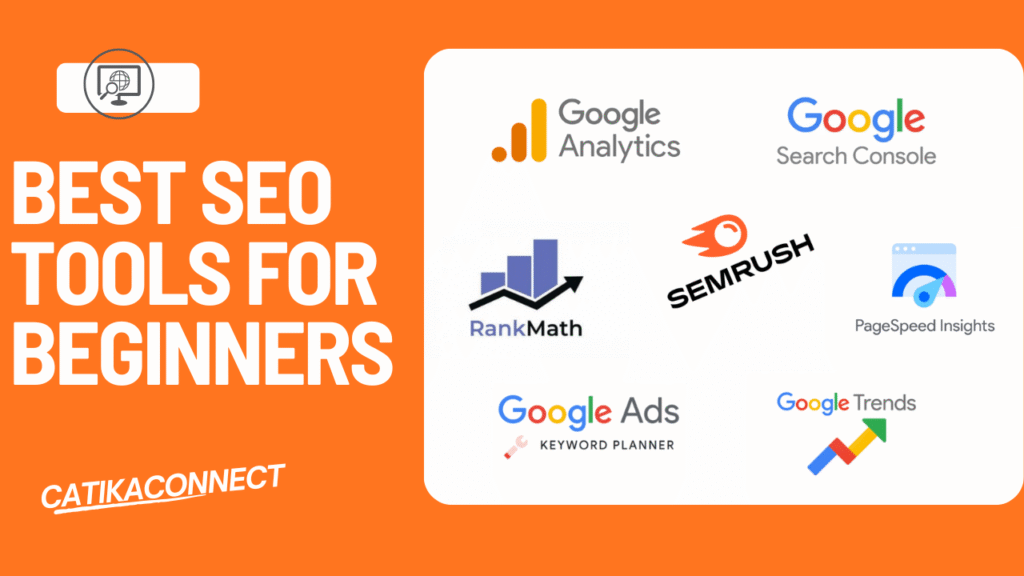
Table of Contents
What are SEO tools and why do beginners need them?
| SEO tools are online platforms that help your website appear better on search engines like Google and AI search assistants like ChatGPT and Gemini by analyzing your content, keywords, backlinks, and technical setup. |
Why do beginners need them?
For beginners, these tools act like a guide. They show you the right keywords to target, help you understand what your audience is searching for, and point out where your website needs improvement. Instead of guessing, you get clear directions on how to rank higher.
SEO tools also save time. They highlight mistakes—like slow pages or missing headlines—that could hurt your site. With them, beginners can focus on creating better content while building confidence step by step.
SEO tools make the path easier, faster, and less confusing for anyone starting their digital journey.
Quick Summary of the 7 Best SEO Tools for Beginners
Tool | Free / Paid | purpose |
Google Search Console | Free |
|
Google Keyword Planner | Free |
|
Google Analytics | Free |
|
PageSpeed Insights | Free |
|
Google Trends | Free |
|
Semrush | Paid |
|
Rank Math | Paid |
|
Let’s dive into each:
1) Google Search Console (GSC)
Google Search Console is a free tool from Google that helps beginners understand how their website is performing on Google Search. It shows you:
- Which keywords your site is ranking for
- How your pages are performing
- If there are any indexing issues
- Which sites are linking back to you
A) Checking performance tap
When you open GSC and go to the performance tab,

- Clicks: show how many people visited your site from Google search.
- Impressions tell you how many times your site appeared in search results.
- CTR (click-through rate): shows the percentage of people who clicked on your site.
- Position is your average ranking for all keywords.
As you can see in my own screenshot, my site currently has many impressions but almost no clicks. This is normal for beginners. Initially, your site may appear in search results, but clicks will increase as your content improves and moves closer to the top 10.
If you scroll down
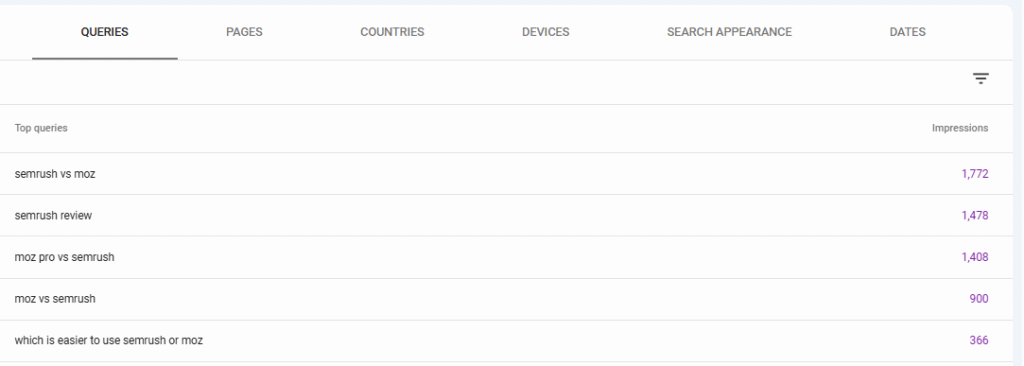
This helps you decide which keywords to focus on in your blog post, YouTube, or any content you’re creating.
You can also tap a specific page to see the exact keywords that page is ranking for, which helps you know which keywords to target in your next blog post, video, or content.
Tip for beginners: focus on keywords that are close to the top 10 and have high impressions. These are opportunities you can target in your next content
B) Checking indexing issues.
Go to the indexing section and you’ll find:
- Which pages/videos are successfully indexed.
- Which pages/videos are not indexed.
- the reason why some pages/videos aren’t indexed.
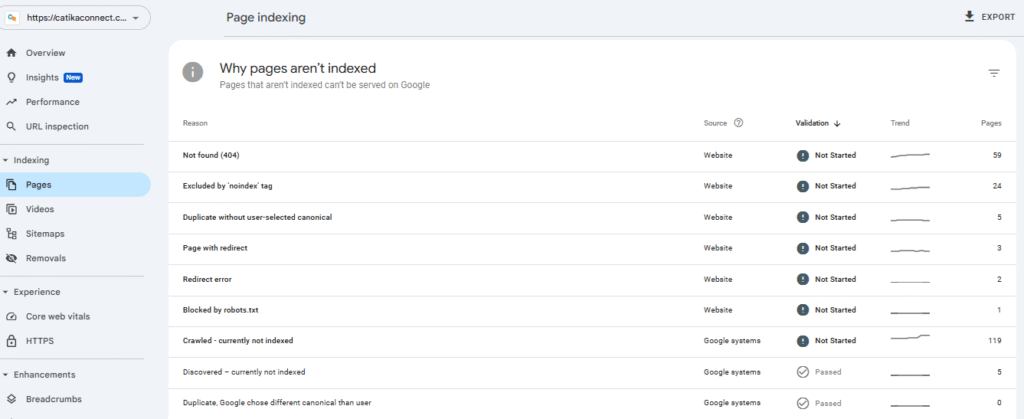
This helps you quickly fix errors and make sure all your important pages appear on Google search.
C) Checking Backlinks
Google Search Console also shows you which websites are linking to your site.
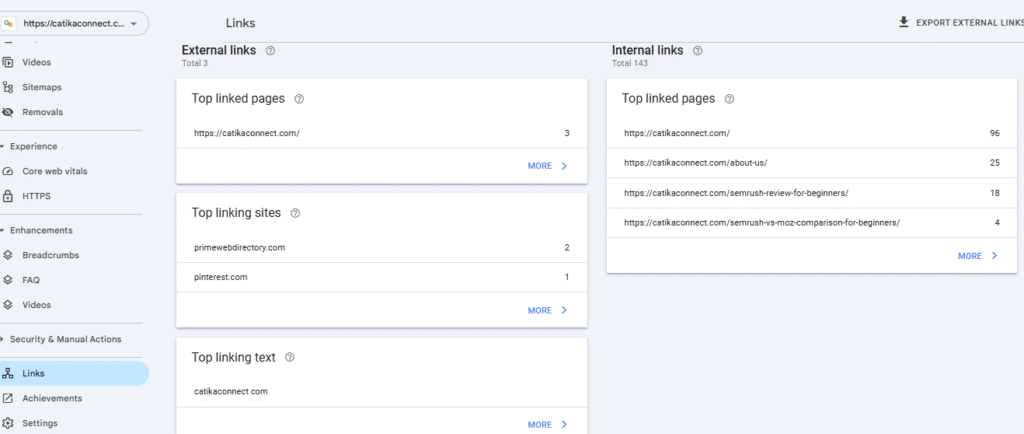
This helps you to improve your website’s authority and rankings.
Google Search Console is one of the best free SEO tools for beginners. It tells you how your website is doing on Google search, what’s working, and what needs fixing.
2)Google Keyword Planner
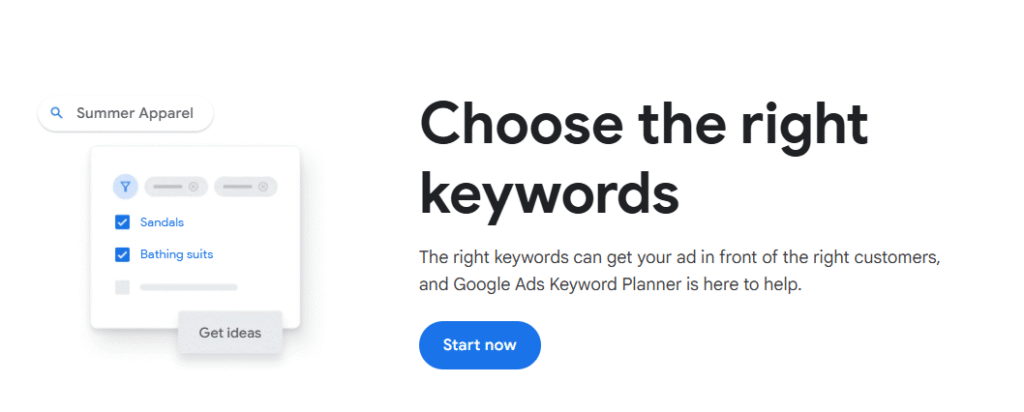
Google Keyword Planner is a free tool from Google Ads for keyword research.
You can use it in the three main ways:
1) Find the right keywords people search for
Go to tools -> select keyword planner ->
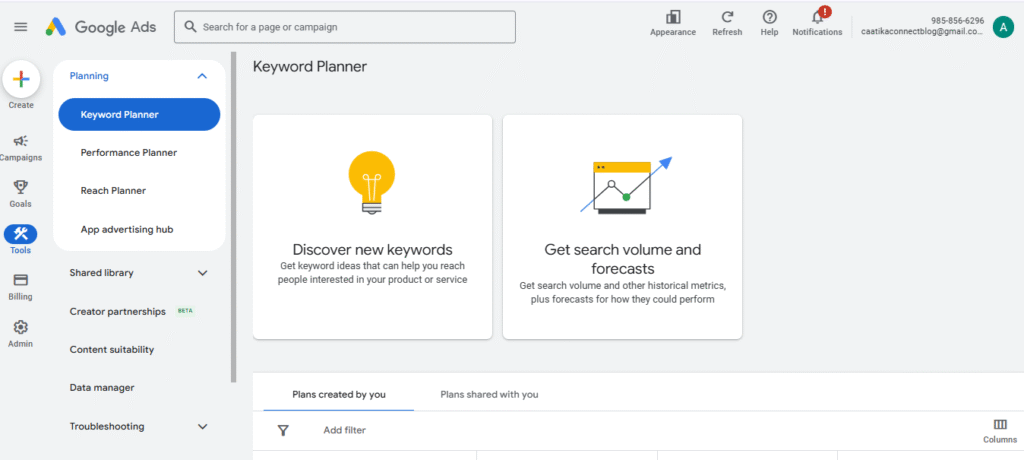
Then choose “discover new keywords”:
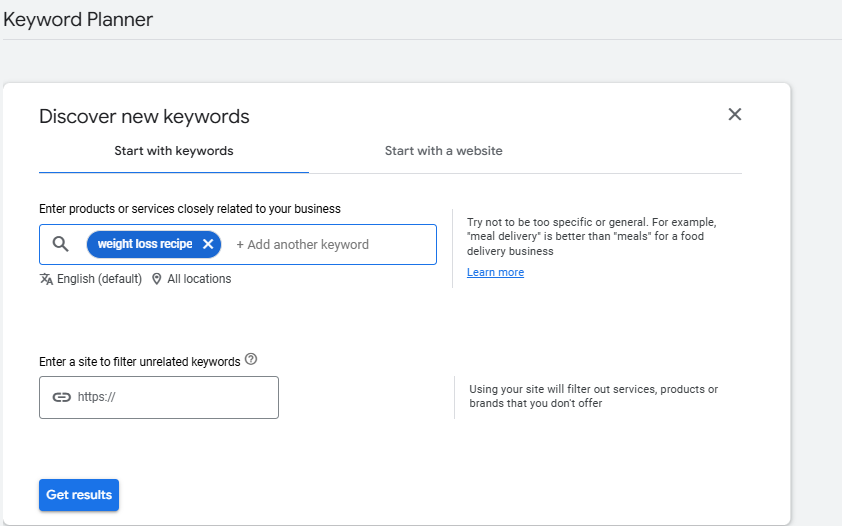
Enter your keywords and click “Get Results.”
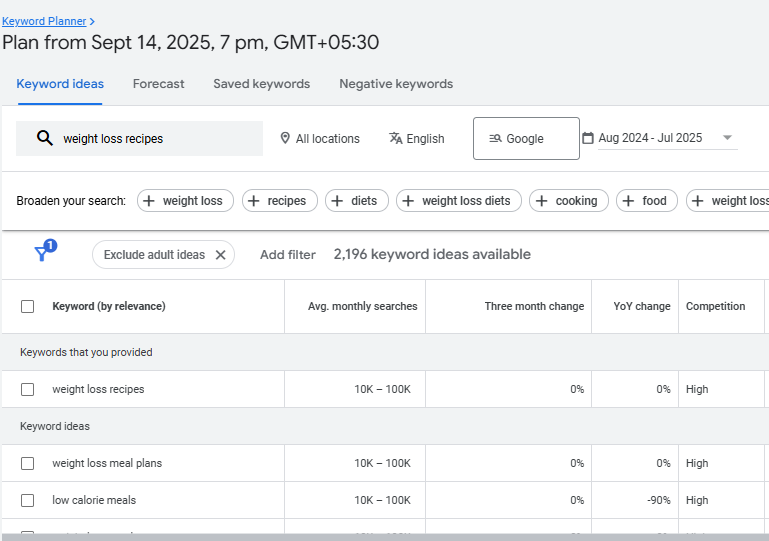
You will see:
- Average monthly searches (how many people search that keyword)
- Competition level (low, medium or high)
- Trends over time
Don’t forget to set your location and language so the data matches your target audience.
2) See which keywords your competitors are ranking for.
In Keyword Planner, you can also enter your competitor’s website instead of a keyword.
Go to the discover keyword ideas and then enter your site’s competitor.
For example, if you run a blog website or niche that talks about weight loss recipes,
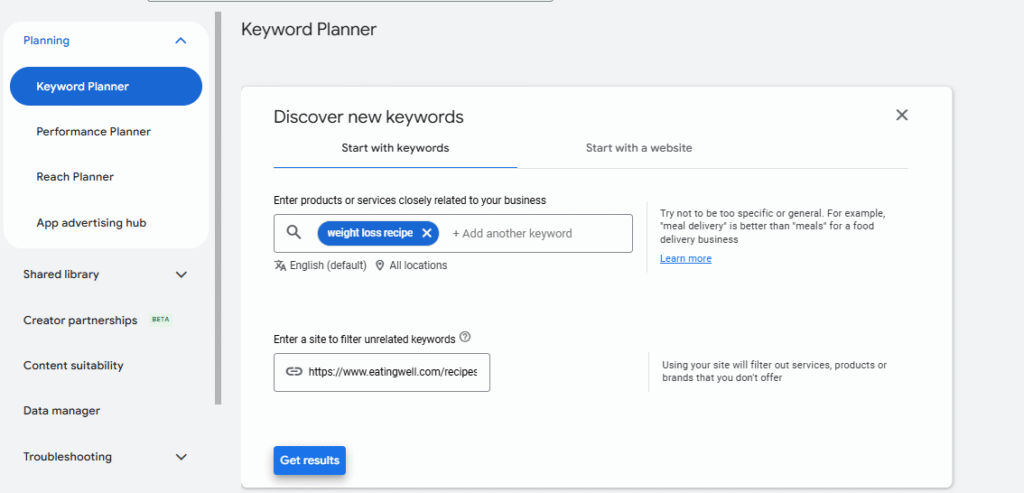
Enter your competitor’s website that talks about weight loss recipes, and then Keyword Planner will show you:
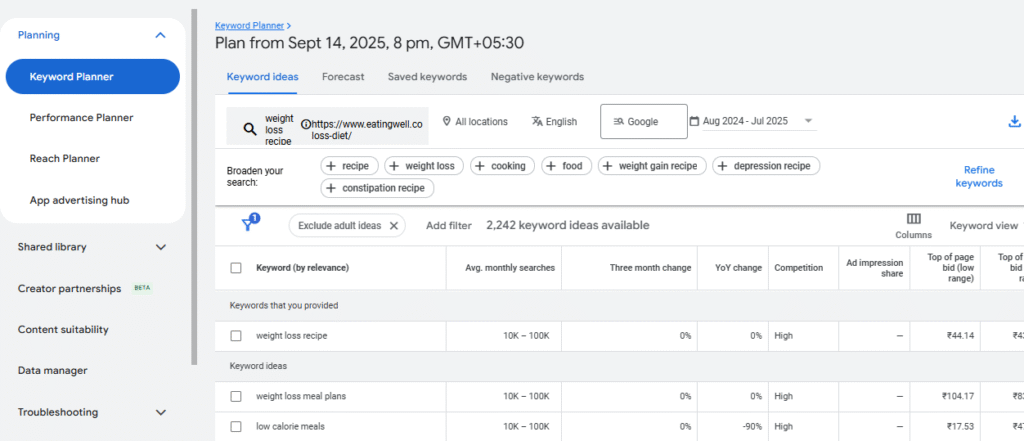
Keyword ideas are based on that site, so you can target similar keywords that have low competition opportunities.
3) Group keywords into related topics
Google Keyword Planner can group similar keywords, which makes it easier to organize them for your blog strategy.
Go to the keyword view and then select group view
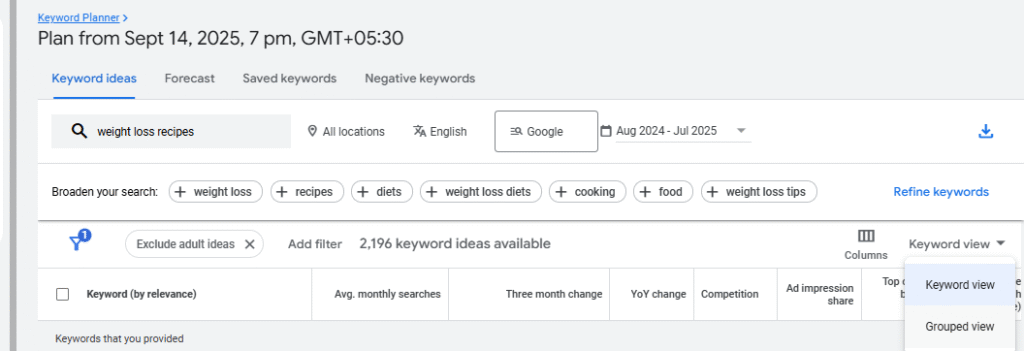
This tool will automatically organize similar keywords together. You can download these keyword groups to plan your blog content strategy.
There are other ways you can use it, but as for me, I used that way.
3) Google Analytics 4
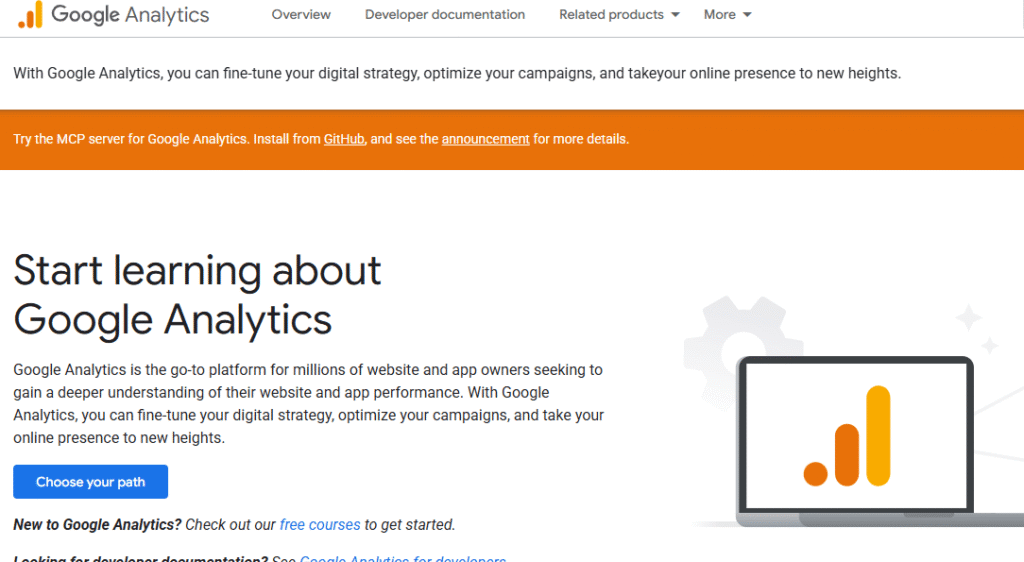
Google Analytics is a free tool from Google that helps beginners to see how their website is performing. With it, you can understand who is visiting your site, where they come from, and which pages they like the most.
1) You can track your visitors
You can see how many people are new visitors and how many are returning visitors.
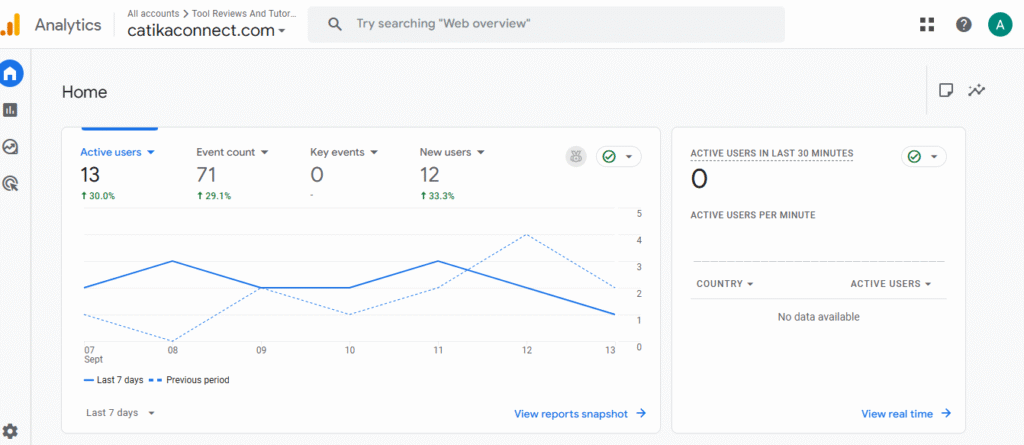
You can see where people are coming from—for example, social media, Google search, or visiting your site directly.
You can check which countries your visitors are from.
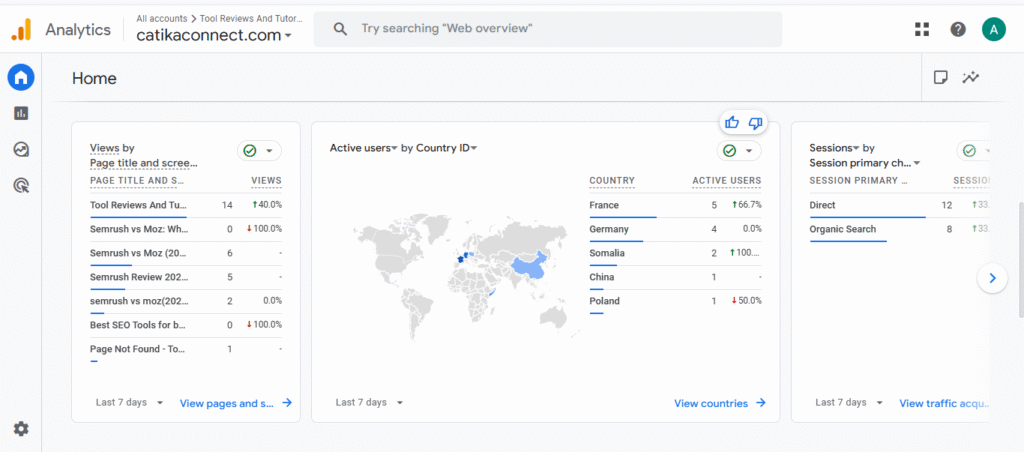
2) You can check your content performance
- You can see which pages or blog posts are getting the most views.
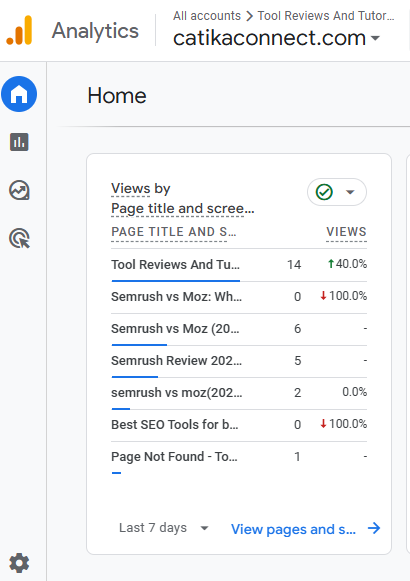
You can find out how long people stay on your site and if they leave quickly.
You can learn which topics your audience enjoys the most.
3) You can understand your users better
You can see basic details about your visitors, like age, gender, and interests.
If you have an online store, you can track how many sales come from your site.
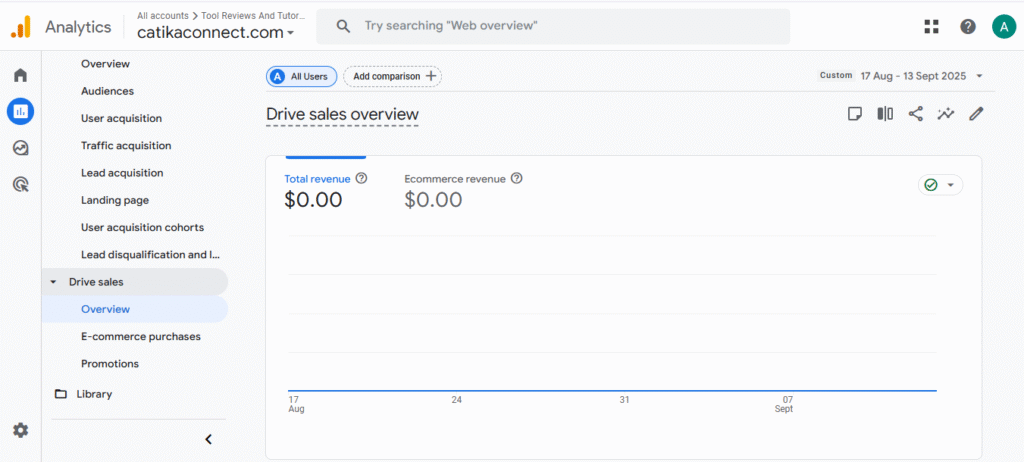
You can also set small goals, like how many people signed up for your newsletter or clicked a button
Google Analytics is like your website’s “report card.” It shows you what’s working well and what you need to improve.
4) Page Speed Insight
PageSpeed Insights is a free tool that helps beginners see how fast their website loads and how well it performs. With it, you can understand if your site is giving a good experience to visitors.
1) You can check site speed
Add your website URL in the tool .
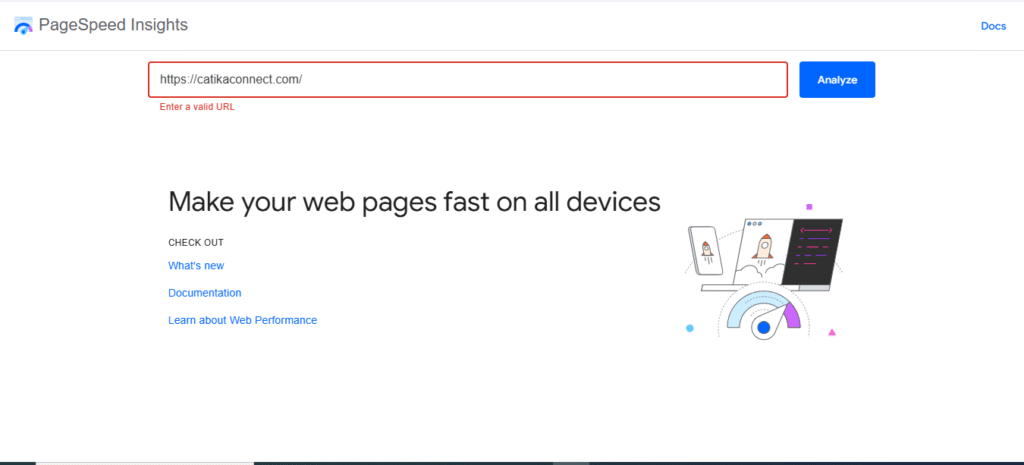
The tool shows how your site performed based on real data from visitors using Google chrome over the past 28 days.

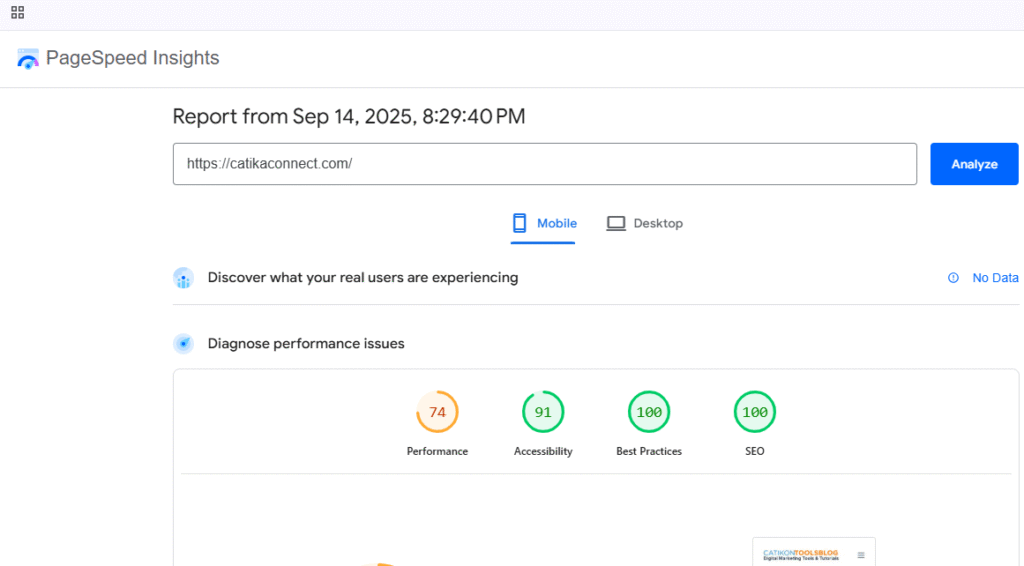
2) You can see if your site passes core web vitals
PageSpeed Insights tells you whether your site meets core web vitals, which are important metrics Google uses to measure user experience.
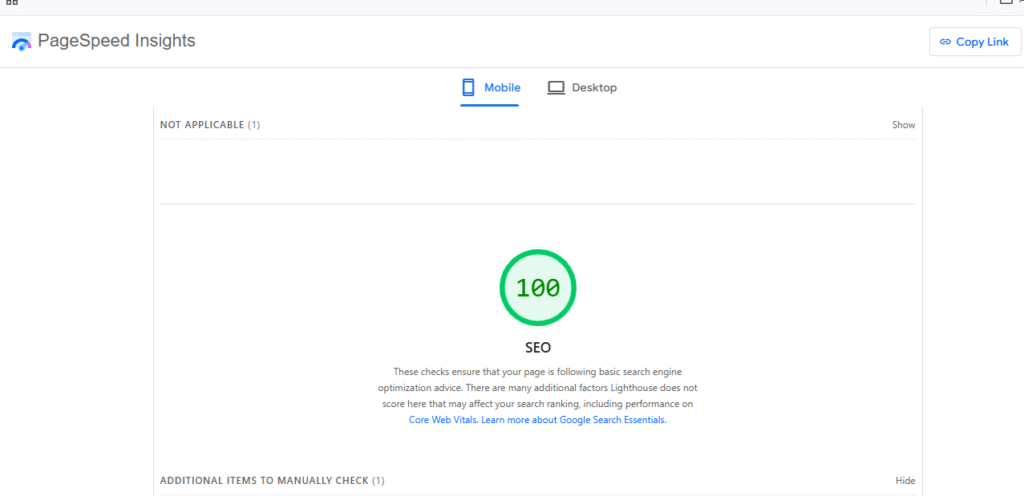
3) You can check performance across devices.
Scroll down to see how your site performs on different devices: mobile and devices/laptop
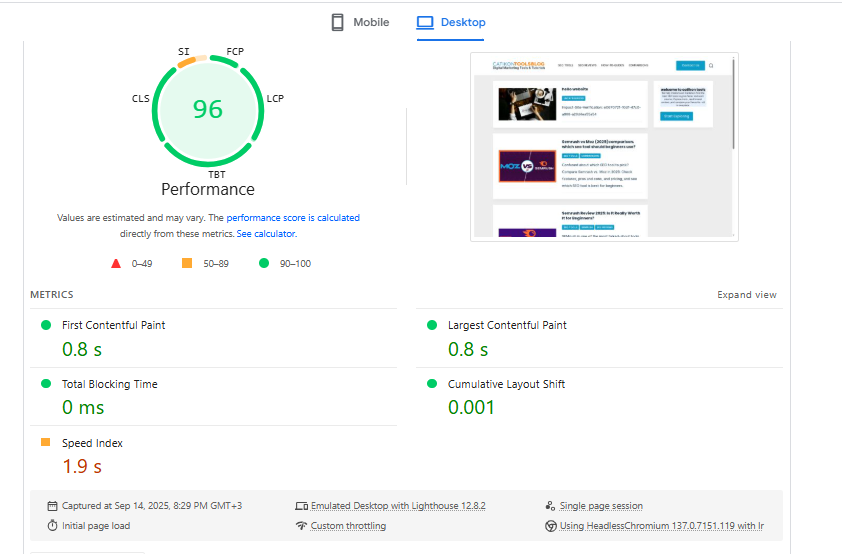
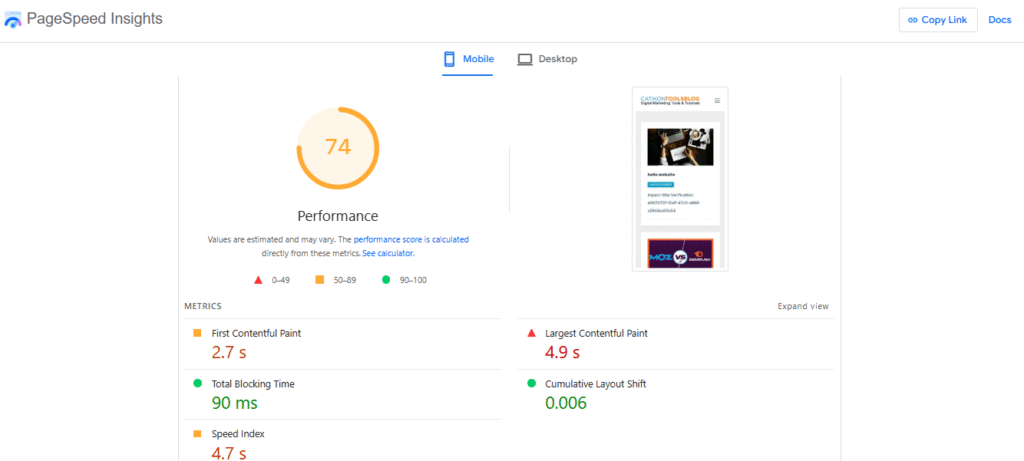
It also measures these key metrics :
- largest contentful paint ( LCP) —loading speed.
- First input Delay (FID) — interaction speed .
- cumulative layout shift (CLS) — visual stability.
- Total blocking time (TBT)— responsiveness.
- speed index — how quickly content becomes visible Picture.
4) Your speed index—how can fix issues to speed up your site
The tool gives specific suggestions for the things your site needs to improve.
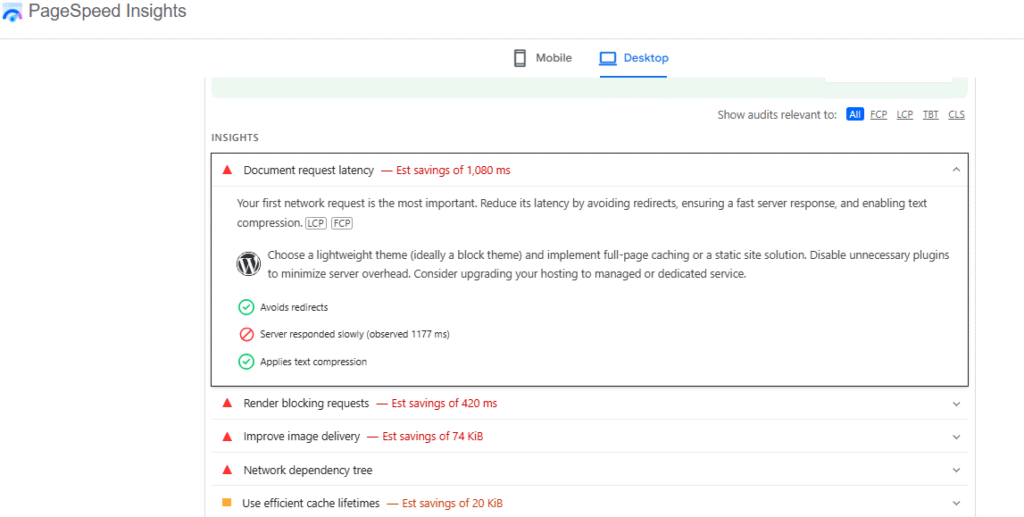
By following these recommendations, you can make your website faster and capture visitors’ attention before they leave.
PageSpeed Insights is a simple but powerful tool for beginners to improve site speed, user experience, and core web vitals on both mobile and desktop, which helps your site rank better and keep visitors happy.
5) Google Trends
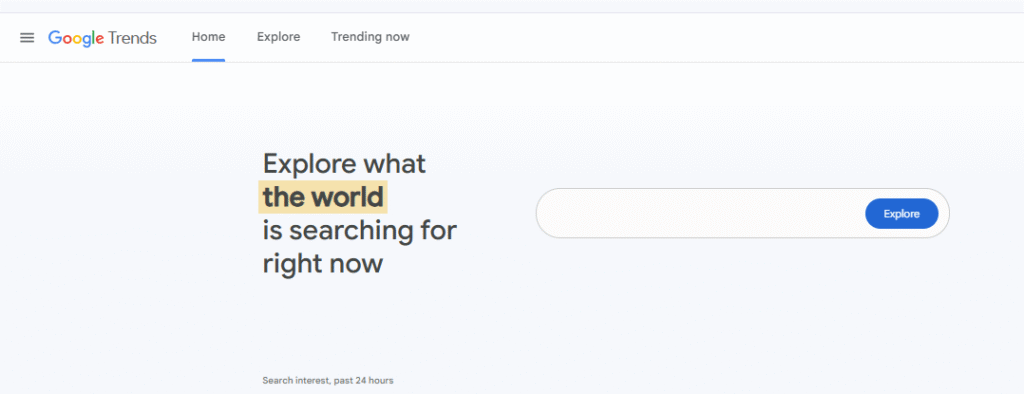
Google trends is a free tool that helps beginners see what topics are trending in their niche , city , or industry. It’s perfect for bloggers , YouTubers, and e-commerce store owners who want create content people are actively searching for .
1)you can see trending topics in your niche
Enter your main topic or keyword ( eg, “Insurance”) and select your location and time frame.
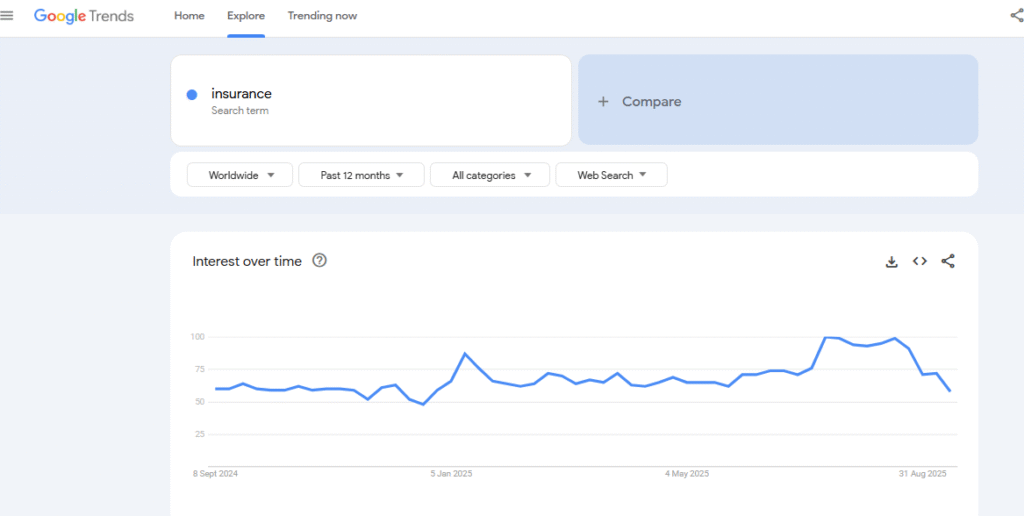
This helps you understand what people are searching for right now in your niche .
2)You can get ideas for different platforms
For blogs: using raising topics to create content that captures readers’ attention.
For YouTube: switch to YouTube search in Google to see what people are searching for related to your niche.
For e-commerce: switch to Google shopping to see trending products people are looking for.
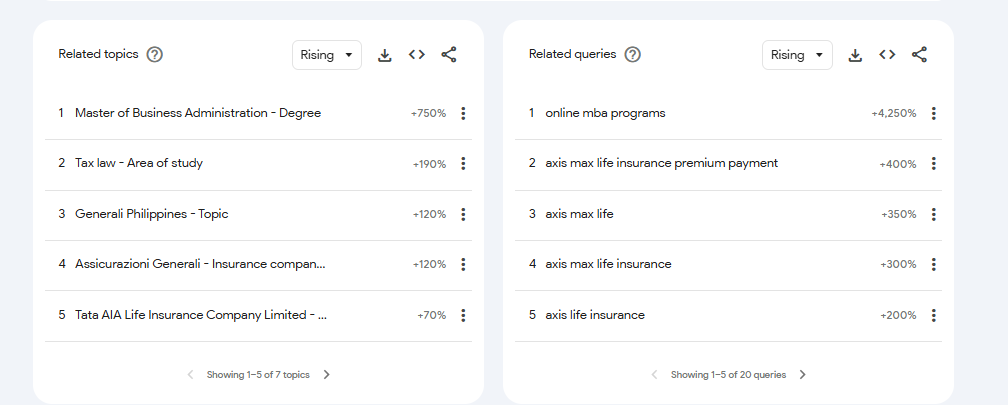
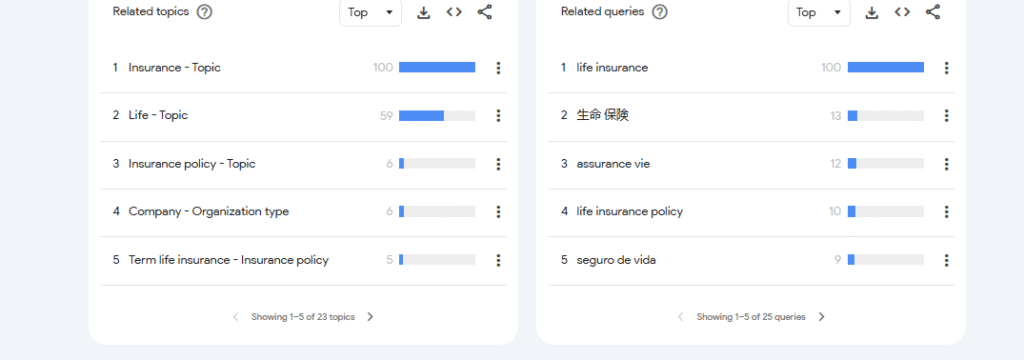
3)you can decide between topic ideas
If you’re unsure which topic to focus on, Google Trends shows which is more popular at the moment.
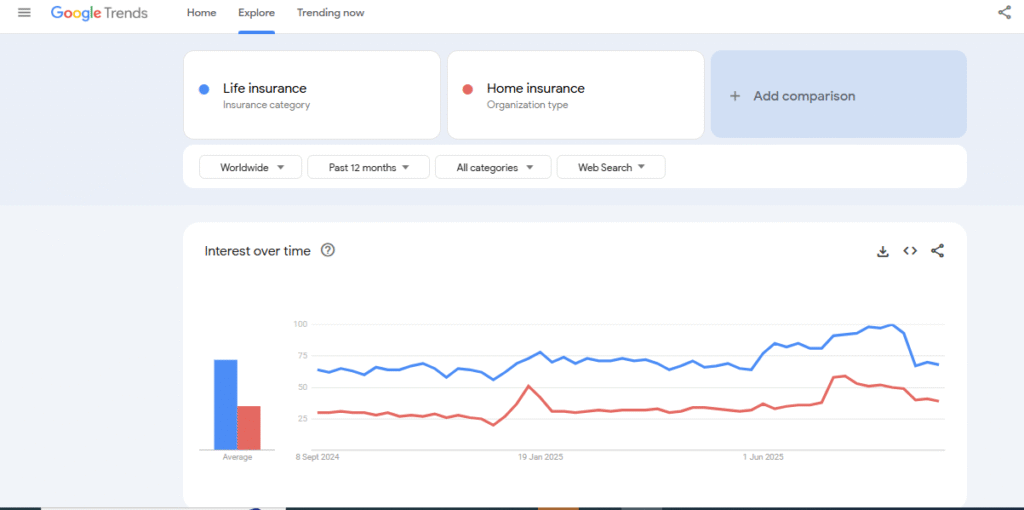
This ensures your content reaches more people and stays relevant.
4)You can track real-time trends
Google trends isn’t just for today it give a real-time data so you can keep your blog , YouTube channel , or bussiness upto date with what’s currently popular .
It’s goldmine for staying relevant, helping you create content that matches what people are actively searching for.
Google trends is a simple but powerful tool to discover trends , generate content ideas , and keep your business or content strategy relevant.
6)Semrush
- Price: starts at $117.33/mo
Semrush is an all-in-one SEO tool that’s beginner-friendly but also powerful enough for professionals.
It gives you everything you need to grow your website: keyword research, site audits, and competitor analysis. If you want a full breakdown of its pricing, features, and whether it’s worth it, you can also read my Semrush review for beginners.
1)keyword research
When we start a website, we ask: how can people find my content? How can I reach the right audience?
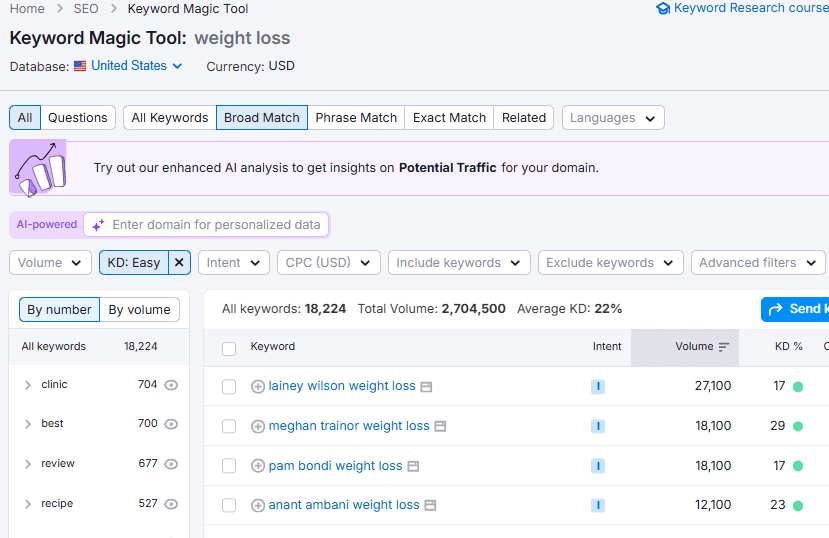
Semrush helps you find keywords that many people search for (high volume and easy to rank on google .
Example: if your website talks about weight loss, Semrush can show keywords that many people search for and that are easier for you to rank.
2)site Audit
Semrush checks your website for technical issues and shows you how “healthy” it is for Google and AI search. It reports on:
- Errors and warnings.
- Site health score.
- Core Web Vitals (speed & performance).
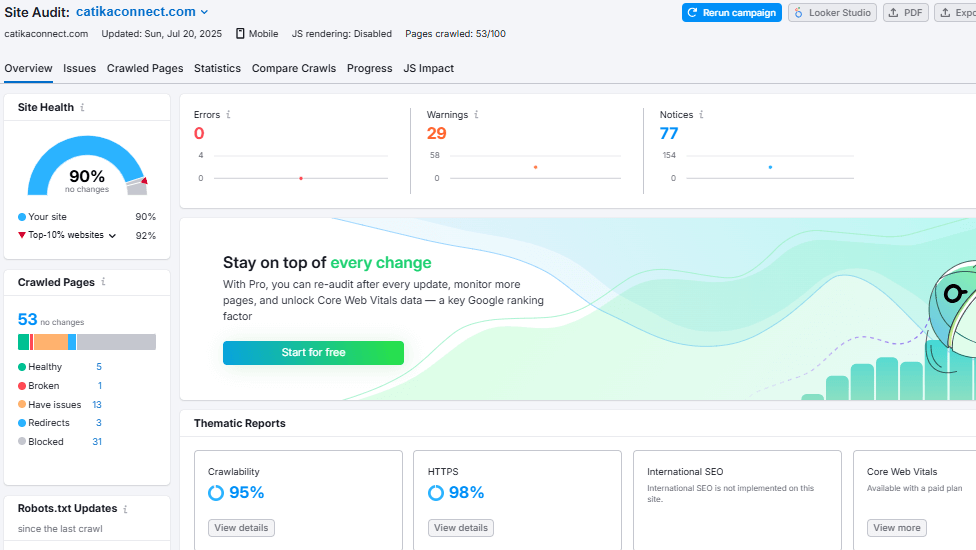
💡 Tip: Fix the critical errors first (like broken links or slow pages), then work on smaller issues later.
3)competitor analysis
Want to know what’s working for others in your niche? Semrush lets you compare your site with your competitors. You can see:
- Keywords they rank for
- Keywords you’re missing
Tip: look for keywords your competitors rank for but you don’t . Add them to your next article. In my Semrush beginner’s review, I share how this feature helped me uncover missing keywords for my own site.
Pros & Cons of Semrush
Pros:
- All-in-one SEO toolkit (keywords, audits, competitors, backlinks, content ideas).
- Beginner-friendly dashboards with tips.
- Accurate keyword data and competitor insights.
- Great for long-term growth.
Cons:
- Price is high for beginners ($117+/mo).
- Learning curve — you need time to explore and practice.
- Has many features (can feel overwhelming at first).
Semrush is a powerful tool for beginners . It helps you find keywords , fix your website, and learn from competitors. Start small , use 3-5 main keywords , fix the biggest problems first , and keep learning.
7)Rankmath
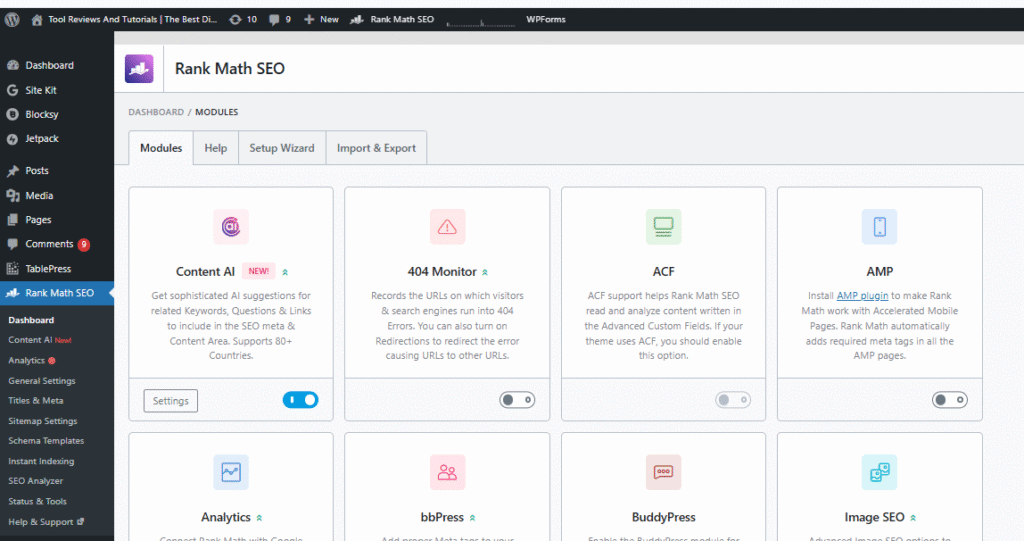
- Price: Free version available; Premium starts at $6.99/month
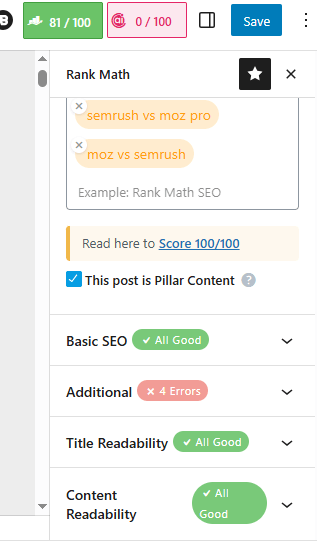
RankMath is an SEO plugin for WordPress users that helps to optimize your content. It helps you organize your posts without overthinking.
It gives on-page SEO guidance, shows where to place your keywords naturally, and highlights what needs fixing, like meta descriptions, titles, and headings.
It gives you a score out of 100. If you score above 80, that means you’re very close to appearing in search engines.
Why is Rank Math perfect for beginners?
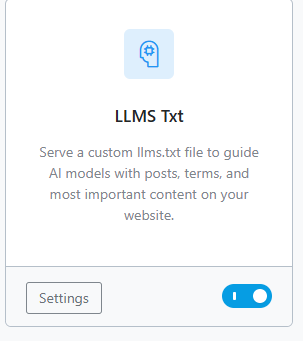
1) LLMText (AI content understanding)
Rank Math uses AI to understand your content better. This helps search engines know exactly what your post is about. Available in both free and premium plans.
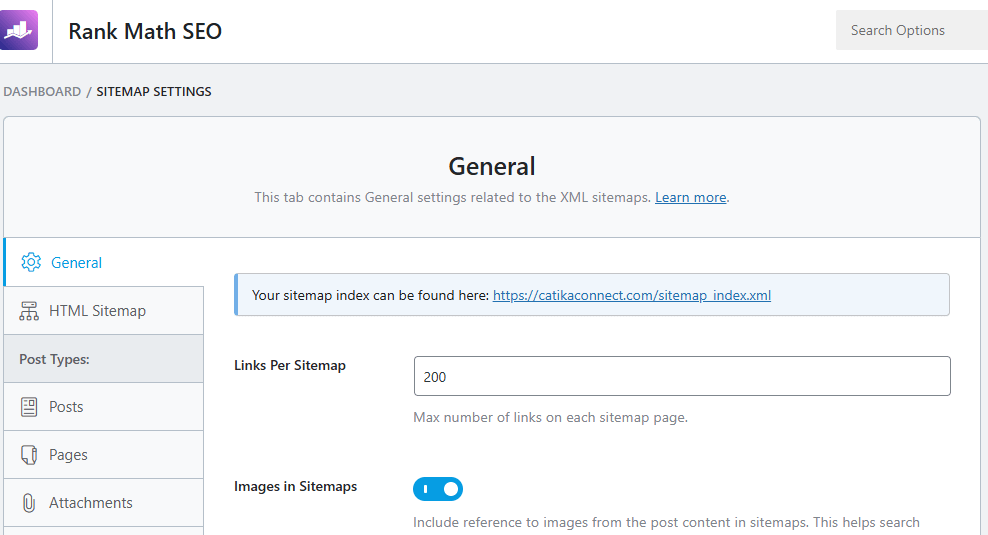
2) sitemap
Rank Math automatically creates an SEO-friendly sitemap and connects it with Google Search Console. This makes it easier for your blog posts to get indexed and appear in search results.
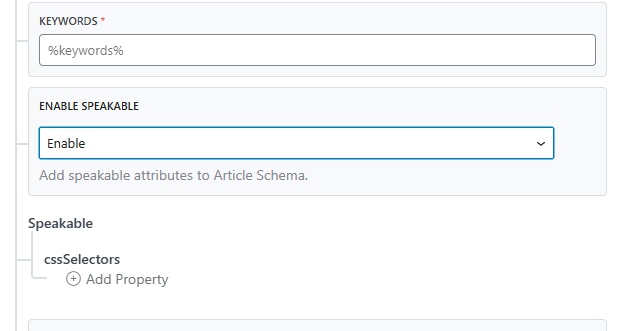
3) Voice speakable (premium only)
With voice search growing, Rank Math’s speakable schema helps your content show up when people search using smart speakers or mobile voice commands.
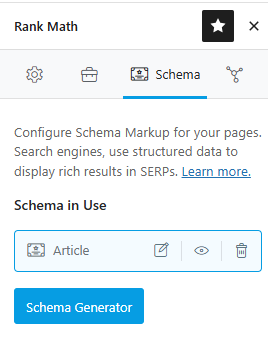
4) schema
Schema helps Google (and AI assistants) understand what type of content you’re publishing—whether it’s a review, product comparison, FAQ, or recipe. Rank Math adds this for you with a few clicks.
5) On-page optimization
This is Rank Math’s best beginner feature. It guides you step by step on where to place your keywords, how to fix titles and meta descriptions, and what to improve in your post.
Pros & Cons of Rank Math
Pros:
- Free plan is powerful enough for beginners.
- Easy-to-use interface inside WordPress.
- Step-by-step on-page SEO guidance.
- Built-in schema, sitemap, and keyword placement tools.
- Affordable premium plan compared to competitors.
Cons:
- SEO score can tempt beginners to “chase 100” instead of focusing on content quality.
- Premium needed for advanced features (voice, extra schema types).
- Can feel overwhelming at first with many settings.
Mistakes to Avoid for SEO Beginners
1)Focusing only on hard-to-rank keywords
Beginners often try to target highly competitive keywords. Instead, find keywords that have lower competition but decent monthly search volume.
Tools to help: SEMrush, Google Keyword Planner.
2)Expecting instant results
SEO takes time. Don’t get discouraged by slow results — focus on consistent improvement. Regular updates and effort pay off over time.
Using short or generic keywords, Longer, specific keywords (long-tail keywords) make it easier to rank and attract more relevant visitors.
3)Ignoring on-page SEO basics
Beginners sometimes forget to add meta titles, descriptions, or headings with keywords. Tools like Rank Math can guide you step by step.
4)Not tracking performance
Avoid writing content without monitoring results. Use tools like Google Search Console to see what works and what needs improvement.
5)copy and paste from chatjbt the blog post
its okay, not knowing enough English. Write your own understanding and your own experience which is what makes unique in your content Then ask ChatGPT to help you arrange the content.
How to Choose the Best SEO Tool as a Beginner
When you’re just starting with SEO, all the tools out there can feel overwhelming—I know I was completely confused at first! I didn’t know which tool was best for my needs, my budget, or my skill level. Over time, I gathered some key tips and sections that really helped me when I first started using SEO tools.
- Define your seo goals: Choose the purpose you want the tool for: keyword research, site audits, content optimization, backlinks, tracking, and so on.
- Consider your budget: free tools are fine for beginners, but paid tools have more features. Pay only for what you need.
- Choose tools that are easy to use: to make things less confusing, look for dashboards, beginner guides, and tutorials that are easy to use.
- check features & integrations : make sure the tool can do what you need it to do and that it works with your website and other analytic platforms.
- Community & Support: Look for easy-to-use tutorials, help center, chat support, or online community where you can get assistance when learning.
- Reputation & Reviews: Check expert reviews and actual user feedback to determine strengths, weaknesses, and ease of use.
- Free Trial or Demos: Test the tool hands-on before buying to see if it is the right tool for your workflow and needs.
- Fit your needs, not popularity: the best tool is the one that matches your goals, budget, and skill level – not just the most famous one.
Conclusion: summary of best seo tools for beginners
Tool | Free / Paid | purpose |
Google Search Console | Free |
|
Google Keyword Planner | Free |
|
Google Analytics | Free |
|
PageSpeed Insights | Free |
|
Google Trends | Free |
|
Semrush | Paid |
|
Rank Math | Paid |
|