In today’s digital-first world, search engine optimization (SEO) is one of the most valuable skills for anyone entering digital marketing. For students and beginners, SEO might seem confusing at first — but with the right tools, learning becomes simple, practical, and even fun.
Beginner-friendly SEO tools help you understand how websites perform, improve your content, and track your growth. In this article, we’ll explore the top SEO tools for students, show you real examples of how they work, and share expert tips to help you build confidence and real-world skills.
Table of Contents
1.Google Analytics: Understanding Website Performance
Why It’s Great for Students
Google Analytics is a free, industry-standard tool that shows how people behave on your website. Whether you run a blog, portfolio, or school project site, this tool teaches you how to measure real data.
How to Use It
- Track Visitors: Discover who visits your site, where they come from, and which pages they explore.
- Set Goals: Measure conversions like newsletter sign-ups, downloads, or inquiries.
- Identify Weak Pages: Find which pages are performing poorly and improve them.
Expert Tip
Start with the Acquisition and Behavior reports. These two sections give you the clearest picture of what attracts visitors and what keeps them on your site.
2. Google Search Console: Monitoring Search Performance
Why It’s Great for Students
Google Search Console (GSC) shows how your site appears in Google search results. It helps you understand which keywords you rank for and alerts you to technical issues.
How to Use It
- Monitor Keywords: See which search terms bring visitors to your site.
- Fix Errors: Get alerts about mobile issues, broken links, and indexing problems.
- Optimize Visibility: Improve pages with high impressions but low clicks.
Expert Tip
Check the Performance tab weekly to monitor rising queries and update your content based on what people are searching for.
3. SEMrush or Ahrefs (Free Versions): Keyword & Competitor Research
Why They’re Great for Students
Semrush and Ahrefs are two of the most powerful SEO tools in the industry — and both have free versions suitable for students who want to learn keyword research and competitor analysis without paying.
How to Use Them
- Keyword Research: Discover keywords, search volume, and difficulty levels.
- Competitor Insights: Find out what keywords your competitors rank for.
- Content Ideas: Identify long-tail keywords you can rank for faster.
Expert Tip
Focus on long-tail keywords (3–5 words). They have less competition and are easier for beginners to rank for.
4. Ubersuggest: Affordable All-in-One SEO Tool
Why It’s Great for Students
Ubersuggest offers a generous free version and affordable pricing, making it ideal for students who want to learn keyword research, run site audits, and track rankings without spending too much.
How to Use It
- Keyword Ideas: Discover keywords and new content topics.
- Site Audit: Identify SEO errors and quick fixes.
- Backlink Data: See who links to your site or competitors.
Expert Tip
Use Project Tracking to monitor your keyword rankings over time — it motivates you and shows how your SEO efforts are working.
5)Rank Math (for WordPress): All-in-One On-Page SEO Solution
Why It’s Great for Students:
Rank Math is a powerful yet beginner-friendly WordPress plugin that streamlines on-page SEO. Its intuitive interface makes it easy for students to optimize posts and pages even with minimal SEO knowledge.
How to Use It:
- Step-by-Step Setup: The setup wizard helps you quickly configure essential SEO settings.
- Content Analysis: Offers instant suggestions to improve keyword usage, meta tags, and readability.
- Rich Snippets: Easily add structured data to your content, helping it stand out in search results.
Expert Tip:
Take advantage of Rank Math’s built-in keyword tracking and local SEO modules to further enhance your learning and apply advanced techniques as you grow.
6.Answer the Public: Discover What People Are Asking
Why It’s Great for Students:
Answer the Public is a free tool that visualizes real questions people type into search engines. This is invaluable for students looking to create content that directly addresses their audience’s needs.
How to Use It:
- Content Ideation: Enter a keyword, and the tool generates a web of related questions, prepositions, and comparisons.
- SEO Content Strategy: Identify common queries and topics to target in your blog posts or website content.
Expert Tip:
Focus on “long-tail” questions with lower competition. These are easier to rank for and attract targeted visitors.
Conclusion
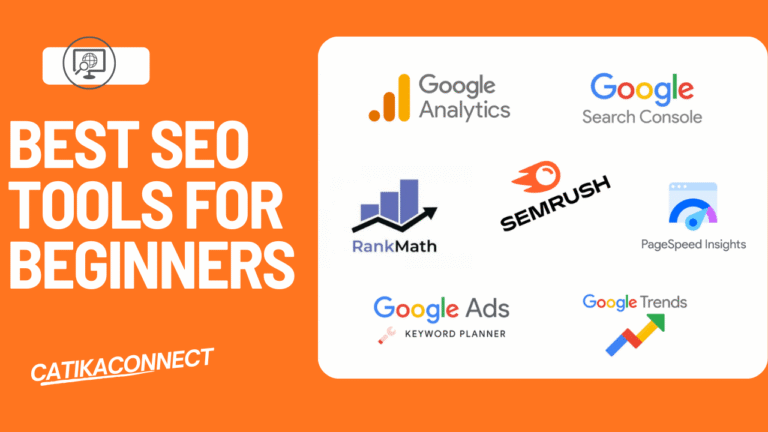
Learning SEO doesn’t have to be overwhelming—especially when you have the right tools at your fingertips. By leveraging Google Analytics, Google Search Console, SEMrush or Ahrefs (free versions), Rankmath, answer the public and Ubersuggest, students can build a strong SEO foundation, gain practical experience, and see real results. Start experimenting with these tools today—your future digital marketing career will thank you!
Ready to boost your digital marketing skills?
Pick one tool from this list and start exploring—your journey to becoming an SEO expert begins now!
FAQS
What is the best free SEO tool for beginners?
Google Search Console is widely considered the best free SEO tool for beginners. It provides direct insights into how your website appears in search results, highlights technical issues, and shows which keywords drive traffic to your site. Tools like Ubersuggest and Answer the Public are also excellent free resources for keyword research and content ideas.
How do I choose the right SEO tool for my needs?
Start by identifying your primary goal: keyword research, on-page optimization, site analysis, or content ideas. For website performance tracking, Google Analytics is essential. For on-page SEO, plugins like Rank Math are ideal if you use WordPress. Experiment with free versions of multiple tools to see which interface and features best match your learning style and objectives.
Can I learn SEO effectively without paid tools?
Yes! Many top SEO tools for students offer free versions or features that are more than enough to build foundational SEO skills. Focus on mastering Google Analytics, Google Search Console, and free offerings from tools like MozBar and Answer the Public. As your skills grow, you can consider upgrading to paid plans for advanced features.